
# Conversation Continuity through Email
CarbonChat allows customers to continue chat conversations via email threads under the following cases.
- If no agents are available and the customer leaves a message in the chat,
- If the customer leaves the chat before the agent replies.
Along with these cases, the contact should have an email address associated with it in CarbonChat CRM.
# Obtaining email address of contacts
You can prompt/update customer emails into CarbonChat through the following ways.
# 1.via CarbonChat SDK
If customer email is already known, you can supply it into CarbonChat via the setUser method in our SDK (opens new window)
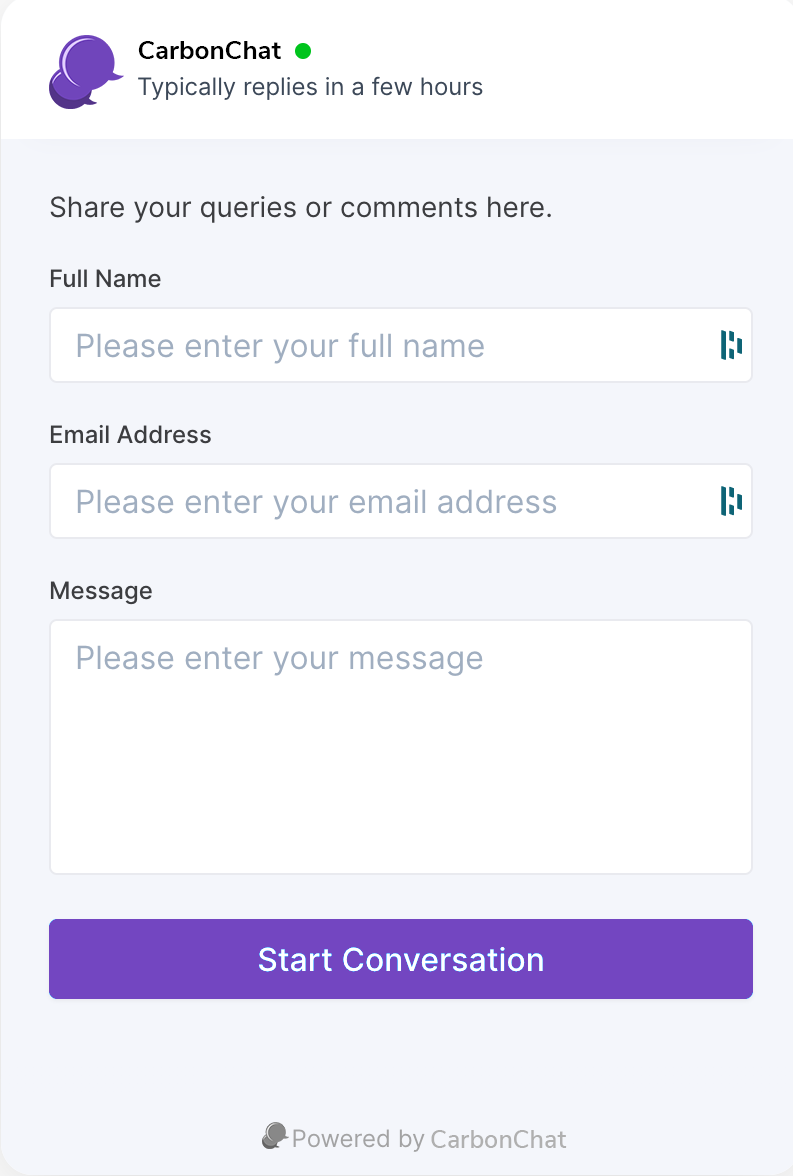
# 2.via Pre-Chat Form
If a mandatory pre-chat form is enabled. the conversation starts with a screen as below
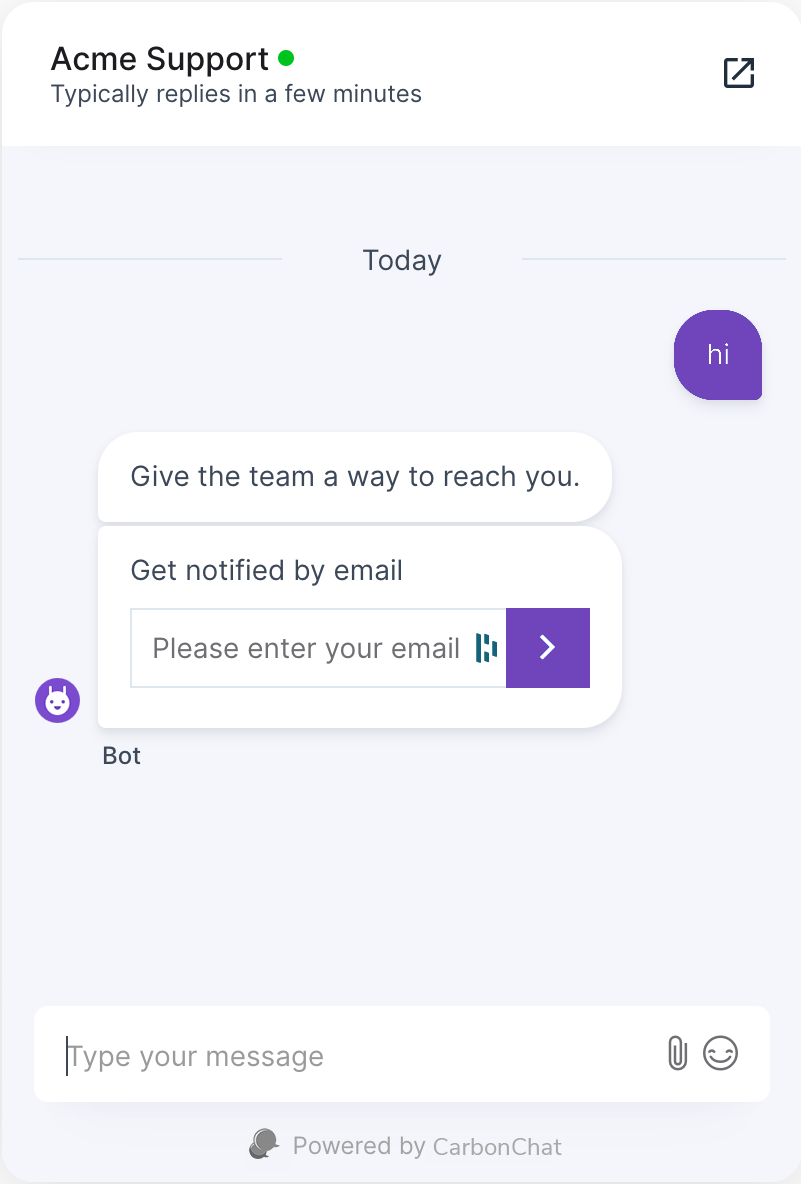
# 3.via Email Collect Prompt
When the pre-chat form is disabled and the customer email is unknown, CarbonChat starts a conversation with an email collect prompt.
# Conversation Continuity
If the customer email gets updated through any of the options mentioned above. When the agent replies and the customer is not active on the chat widget:
The customer receives an email thread with a conversation summary over which they can continue the conversation.
The agent receives the customer replies from email in their CarbonChat dashboard, continued over the existing conversation thread.
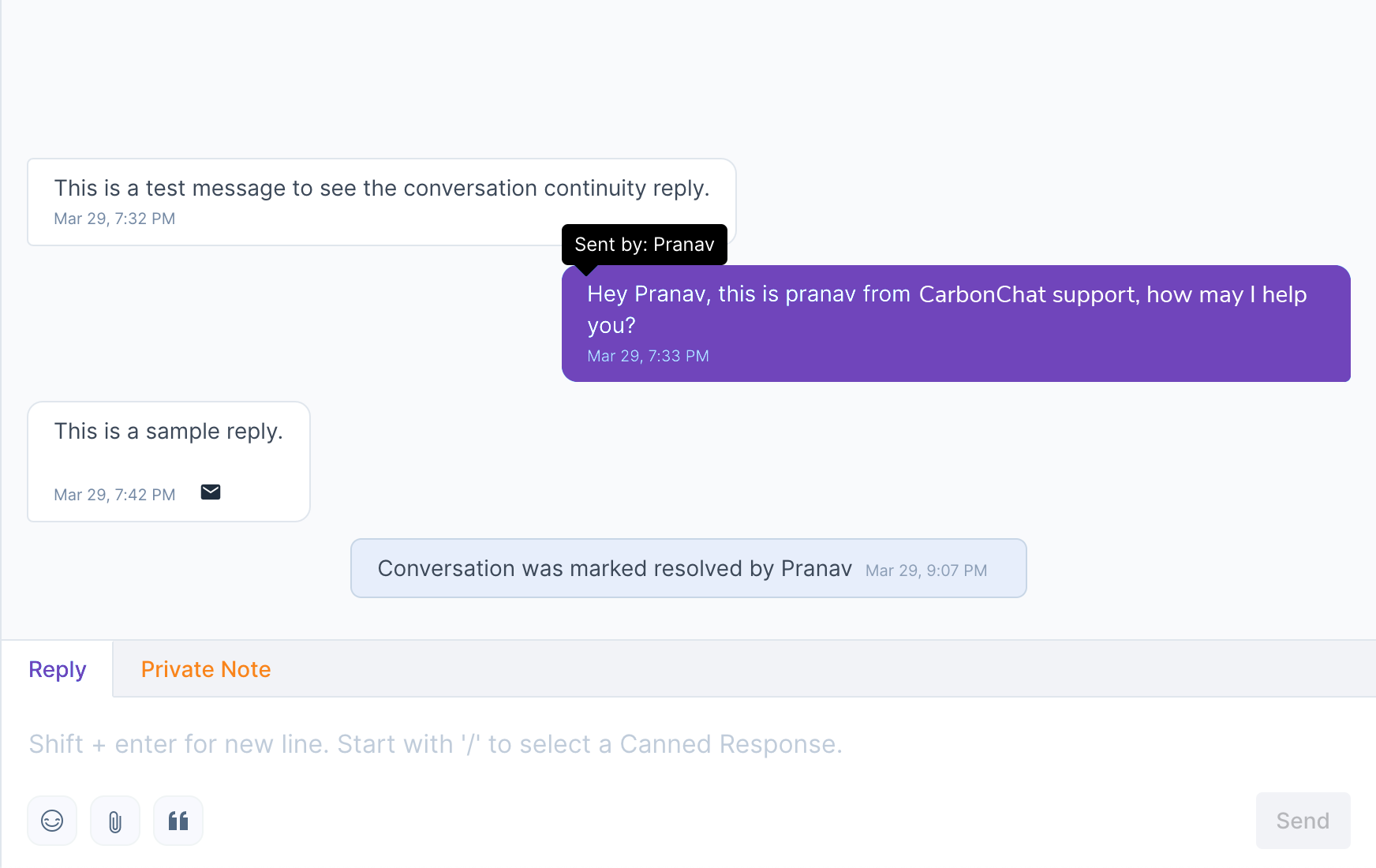
The email icon in the chat bubble indicates that the customer reply arrived via email.